StitchWing Get the Windows beta

Crochet graphing software for Windows

From photo to finished pattern.

StitchWing draws your chart at your real gauge, writes the rows out for you, estimates your yarn, and prints a pattern you can work from, or sell.

For Windows 10 (22H2) and Windows 11. Mac is next.

Concept UI, in development. The picture is an illustration, not a photo.

How it works: one C2C chart, start to finish

Chart it. Write it. Print it.

Follow one small picture all the way to a finished pattern. Every count you'll see is worked out from this chart when the page loads, then checked against it.

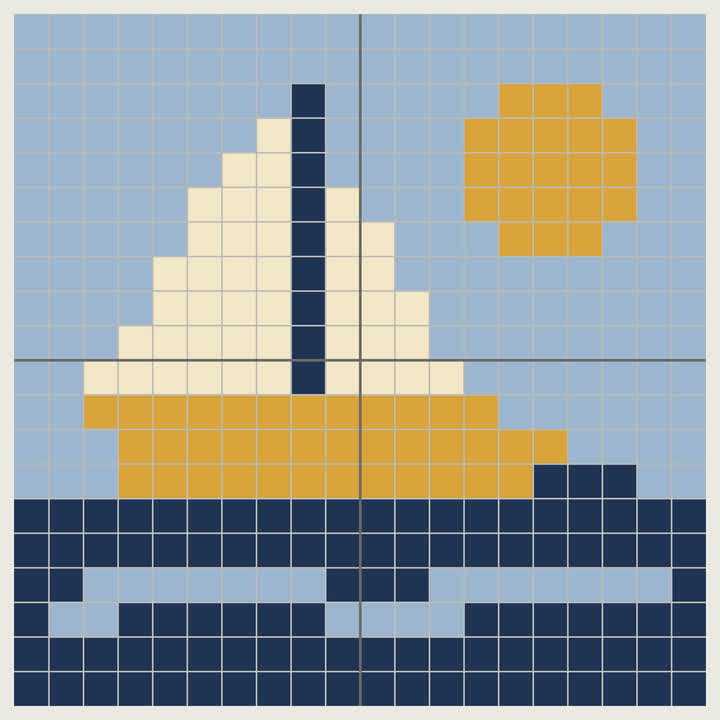
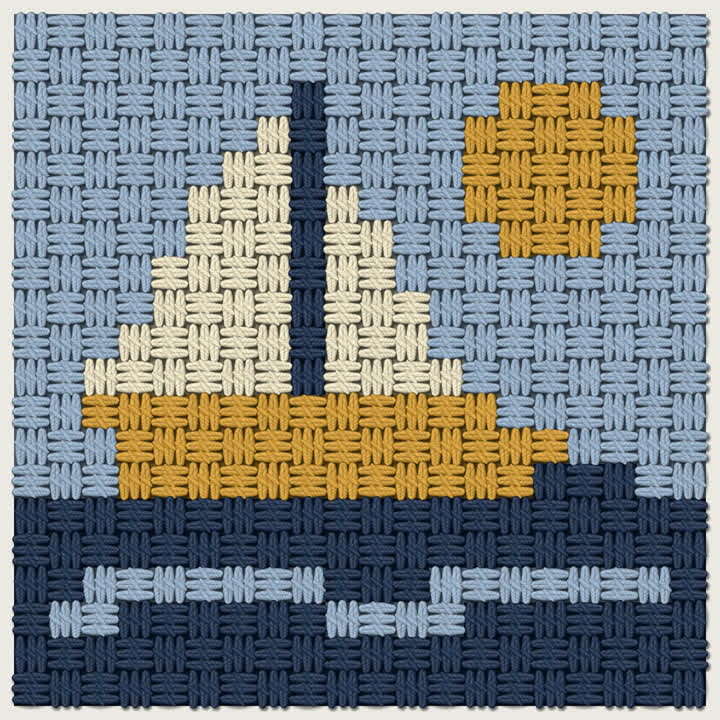
  1. Your picture

    Start from a photo or your own drawing. Pick a size. You can change it later.

  2. Your chart

    StitchWing matches your picture's colors to real yarn colors and draws the chart at your stitch proportions.

    • Read in diagonals

      C2C is worked in diagonals, so the chart is read that way too. Start from any corner, with a left-handed flip.

    • Rows, written and checked

      Written row-by-row instructions, generated from your chart. Every row's stitch count is checked against your chart before it's written out.

      1. A pattern you can share

        One PDF with a cover, the chart in color and black and white, a key, the written rows, materials and a copyright page.

      Concept UI, in development. The picture is an illustration, not a photo.

      See all 39 written rows as plain text, and check our counts

      These rows are worked out from the chart above when the page loads. Then each one is checked tile by tile against the chart. If a row didn't match, it would be marked here instead of getting a check mark.

      Written C2C rows for the Little Sail example chart, 20 by 20 tiles, starting bottom-right.
      RowShapingReadColors, in orderTilesChecked

      For crochet designers who sell patterns on Etsy, Ravelry or their own site

      The graph is only half the pattern.

      StitchWing writes the other half: rows with every stitch count checked against your chart, a materials page with your exact yarn and a Lot # column, and a pattern PDF with your name on the cover.

      Page 2 of 8Materials. Your exact yarn for every color: brand, line, color name and code, the tile count from the chart, estimated skeins, and a Lot # column for dye lots. Hook, gauge and size sit underneath.

      Click or tap a page to bring it forward. On a phone, swipe, and tap the front page to read it larger. With a keyboard, use the arrow keys on the page tabs.

      Sample pattern: the Little Sail chart from above. “Your Studio Name” is a placeholder. Illustration, concept in development.

      Crochet modes

      Made for crochet. Cross stitch too.

      Most graphing software was built for cross stitch, where every square is square. Crochet stitches aren't. StitchWing uses each craft's own words: tiles and diagonals for C2C, blocks and rows for graphghans.

      • C2C (corner to corner)

        Tiles and diagonals. Start from any of the four corners, flip the instructions for left-handed crocheters, and choose dc, hdc (mini C2C) or sc tiles. Rectangles get corner markers where the shaping changes.

        The sample pattern on this page is a C2C pillow.

      • Graphghan and pixel

        Blocks and rows in sc, hdc, dc or bobble, right side and wrong side, and the foundation-chain math.

      • Tapestry

        Worked in rows or rounds, with a heads-up when a row carries too many colors.

      • Mosaic

        Overlay and inset. One color per row, and a check that flags any dropped stitch that can't be worked.

      • Filet

        Blocks and spaces on your mesh, written out as blocks and spaces.

      • Tunisian

        Colorwork charted for the forward pass and the return pass, not as ordinary rows.

      • Cross stitch

        Stitches and fabric count, with backstitch and fractional stitches in Advanced mode.

      These modes are planned for 1.0. The beta adds them as they're ready. Swatches are illustrations.

      Features

      Everything after the graph.

      A chart is where a pattern starts. The rest is what your buyers work from, so StitchWing builds all of it from the same file.

      1. Written instructions, checked

        Written row-by-row instructions, generated from your chart and checked row by row, like the ones above. Switch between US and UK terms.

      2. Charts true to your gauge

        Your chart is drawn at your stitch proportions, so what you see matches how your stitches sit. Turn a square chart into crochet without squashing the design.

        Gauge8 dc C2C tiles ≈ 7 in · 5.0 mm hook

      3. Templates in the Store

        Blankets, scarves, hats, pillows, garments and more. Pick a size and get a chart at your gauge. Template packs are sold separately in the app's Store and aren't part of any plan.

      4. Yarn and dye lots

        Estimated yarn per color, from your own swatch. Every skein gets a lot number, so each color can stay in one dye lot.

        Navy3 skeins in lot 4471, 1 in lot 5208. Buy 2 more from lot 4471 if you can.

      5. Your exact yarn travels with the pattern

        Set the brand, line, color name and code once for each color. They print on the materials page and in the chart key, and they load automatically when a maker opens your pattern file in StitchWing.

        A · SkyWorsted acrylic · Brand · Line · #code

      6. A seller-ready PDF

        Every page in the stack above, in one PDF with your name on it. Health Check flags a color with no yarn before you export, and the “Made with StitchWing” credit is off by default.

      7. Simple by default. Advanced when you need it.

        Simple mode keeps to the tools you use most: draw, fill, erase, select, pick a color, undo. The full charting toolkit is one switch away, and a blank chart is two clicks from the start screen.

      8. Works offline. Files never lock.

        Works offline after a one-time activation. Your files live on your computer, and your patterns always open, view and print, even if your plan ends.

      Switching

      Switching from another charting program?

      Welcome. You don't have to start over, and you don't have to give up the tools you know.

      Planned:a lasting switcher price for people who own other charting software.

      • Bring your designs

        StitchWing opens and saves OXS chart files. For anything else, export a picture of your chart and bring it in square for square with pixel-art import.

      • Find your tools

        Fills, mirroring, text, borders, backstitch, fractional stitches, beads and palette tools live in Advanced mode, one switch away.

      • Print the way you're used to

        Page overlap, legends and information sheets, in color or black and white.

      • Keep your keyboard habits

        Ctrl+K finds any tool or command, and the tools you use most have keyboard shortcuts.

      Platforms

      Windows first.

      We're building for Windows first. Mac is next, and iPad after that. We'll share dates when we're sure of them.

      1. Now

        Windows beta

        For Windows 10 (22H2) and Windows 11.

      2. Next

        Mac

        No date yet.

      3. Later

        iPad

        No date yet.

      Pricing

      Clear plans. Your files never lock.

      Whatever you choose, your patterns always open, view and print, even if your plan ends.

      • Free version

        $0

        No account needed

        For small and medium projects.

        • Save up to 5 patterns
        • Charts up to 150 × 150 (draft)
        • Print your chart and key
        • Not included: Written instructions: full version
        • Not included: Stitch-along and row tracking: full version
        • Upgrade anytime in the app
      • All Access

        Everything included

        $39 / year

        or $5.99 a month

        For designers who sell, and big projects.

        • New features as they ship
        • Written row-by-row instructions
        • Stitch-along and row tracking
        • Charts bigger than 150 × 150
        • Seller PDF with a materials page and your exact yarn
        • Colorways, stash and dye-lot tracking
        • Advanced mode
      • Own It

        $59 once

        One payment

        For people who'd rather not subscribe.

        • Keep it for good
        • Everything available on the day you buy
        • Written row-by-row instructions
        • Stitch-along and row tracking
        • Security and maintenance fixes
        • New features come with All Access
        • Three computers
        • Template packs sold separately in the app

      Prices in US dollars, before tax, and may change before launch.

      Questions about plans

      Help

      Common questions

      Can I sell the patterns I design in StitchWing?

      That's the intent: your design is yours. The exact wording is in the license, which is being written now and will be published before launch. Pending license terms

      How exact is the yarn amount?

      It's an estimate for each color, from your own swatch plus the waste allowance you choose. Everyone's tension is different, so buy a little to spare, and get each color from one dye lot where you can.

      Does StitchWing design the pattern for me?

      No. StitchWing doesn't invent patterns. It helps you make yours: it matches your picture's colors to real yarn colors, draws the chart at your gauge, and writes out the rows you designed.

      What happens to my patterns if my plan ends?

      Your patterns always open, view and print, even if your plan ends. Your files live on your computer.

      Do I need to be online?

      No. StitchWing works offline after a one-time activation.

      US or UK stitch terms?

      Both. You can switch between US and UK terms anywhere in the app.

      Is there a Mac version?

      Mac is next. We're not giving a date yet. The Windows beta comes first.

      Windows beta

      Try StitchWing early. Tell us what's missing.

      The beta is early and unfinished, so keep backups of your work. It runs on Windows 10 (22H2) and Windows 11. Tell us what breaks, and what your pattern PDFs still need.

      Beta sign-ups open here soon. We're getting the first Windows build ready for testers.

      Page 2 of 8Materials

      Sample pattern · Illustration · Concept, in development